Thursday, 4 January 2018

Self Publishing - The Portrait

This has to be one of my favourite sessions we've done so far this year. We focused purely on ourselves in order to create a number of different portraits which had been worked on over and over.
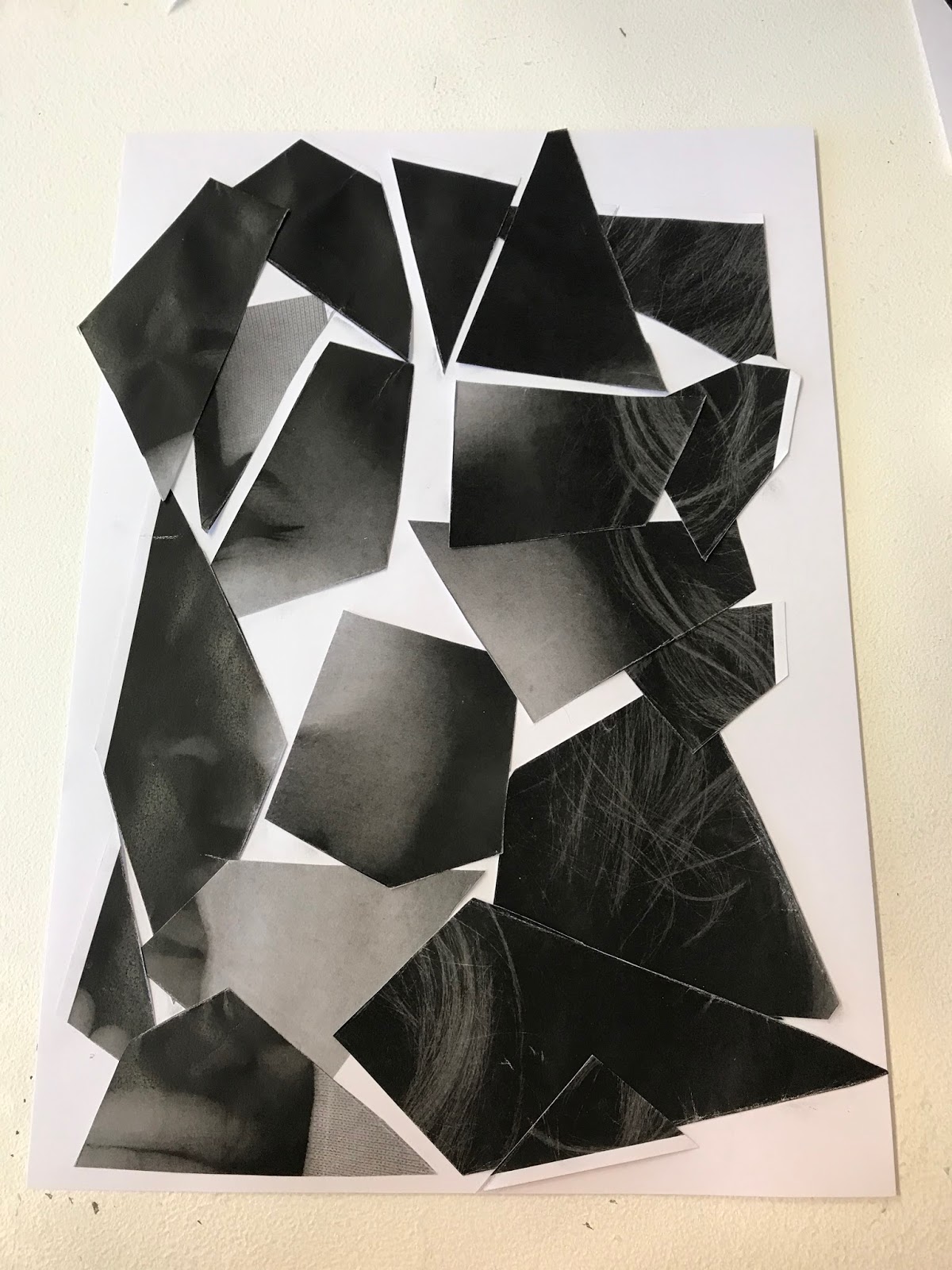
We began by working on our uni card photo, which we deconstructed and made into a completely new image.

We then moved onto photocopying our face there and then, this was particularly amusing seeing what different faces we could pull in order to make a strange looking outcome. I felt particularly insecure about mine and therefore the whole image won't make it to this blog post, but the deconstructed one will as it was part of the workshop. 


We then moved onto drawing one of the deconstructions we had made, I chose to draw the first one which I created, we were only allowed to use black pen in order to produce these drawings to ensure that they were all free hand, quick drawings. 


Our final piece was to create a copy of a piece we had already created using a number of different half tone textures which we had been given, this was my favourite technique which we used as it gave me the opportunity to work with a texture which I haven't worked with before. It was the piece which took the longest and it was extremely interesting to do. 


This was my final piece with the original piece along side it to demonstrate where i had got my ideas from. I thoroughly enjoyed this workshop and I will definitely be experimenting with these techniques in my future work. 


Cinema 4D as a Design Tool - Session 3

During today's lesson we learnt how to use Cinema 4D in order to aid promotional items. To start this session we started the day like any other normal project, by setting up multiple folders in order to organise our materials properly. This makes the entire process much easier to manage in terms of actually completing and managing the work.

We began by analysing a line drawing which Jay had already provided us with, at first this seemed very strange as it was just a flat object which had no form to it, it was also very difficult to figure out what it actually was. Once it was imported into Cinema 4D we extruded the object which meant that the single line was pretty much rotated 360 degrees around which then produced the full object. This step is demonstrated in the image situated below.


After making the bottle, we needed to make the overall texture and appearance of the object as realistic as possible. Therefore we needed to add some form of liquid into the inside of the object, along with the lighting on the exterior being correct and the general texture of the object being correct. The exterior of the object needed to be transparent so that the inside liquid could be visible. 


We then moved onto making the bottle cap, which proved slightly more difficult as there was various things we needed to consider in order to make the cap look as realistic as possible. The process was similar to making the bottle, only this time there was already another object within the canvas so we had to make sure that we placed it in the correct position or else it would interfere with the current piece. 


We then moved onto importing the labels onto the objects, this was done using masks and templates which had been previously made. Jay took us through step by step what we needed to do to ensure that the labels were put on correctly. 


Finally, we rendered the image in order to create the final image. 


We also made cans using the same process, this particular workshop was very interesting for me as I currently work for a brewery and they have asked me to produce promotional material for them. Therefore this will be vital for me in the future when producing these pieces. 


Monday, 6 November 2017

Self Publishing - The Poster


A poster is any piece of printed paper designed to be attached to a wall or vertical surface.
Typically posters include both textual and graphic elements, although a poster may be either wholly graphical or wholly text.
Posters are designed to be both eye-catching and informative.
Posters may be used for many purposes. 

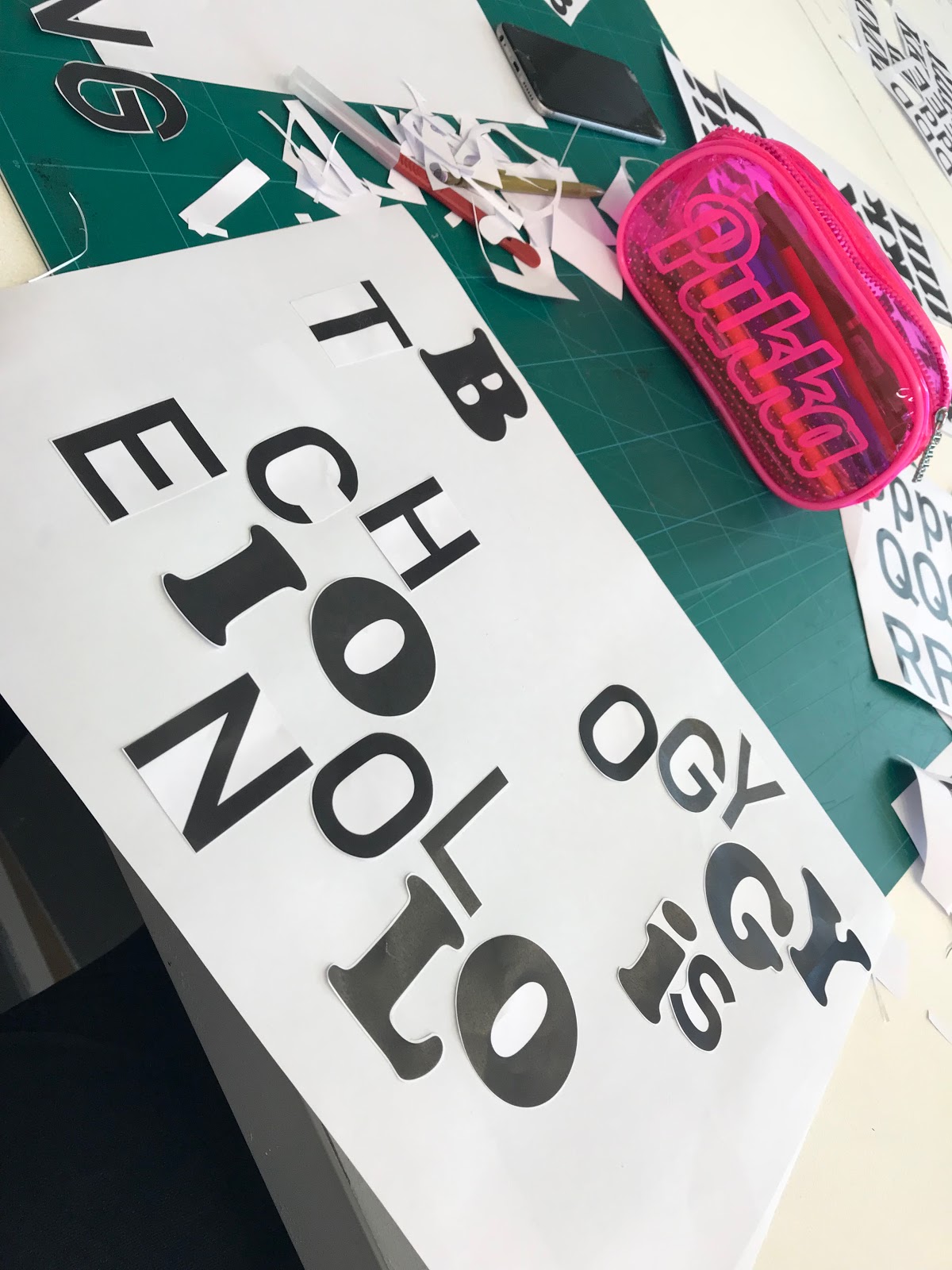
Todays process and production workshop was one of the most interesting and enjoyable ones that we have had this year so far. We were set the task of creating a number of different posters, using only the letters which we had been provided with. There were a number of different type faces which we were provided with, each to represent some how a different feeling or to give a different portrayal. We were also given a number of phrases that we needed to make posters for, we were also time constricted so these posters had to be quick and simply done.  Below are the phrases we had to use in order to create the posters, we worked in pairs to create the maximum amount of posters possible in the time that we were given. 

Posters Produced:


At the end of the session Nick picked out his favourite posters and separated them from the rest which had already been stuck up. Much to my surprise, my "We're all sensitive people" poster was used within the top three for my intuitive thinking and use of the back of the paper to hide the word 'sensitive'. 


I also found later on that my square poster had been used on the HUDGDA Instagram which was something that i was quite proud of. 


Monday, 23 October 2017

Cinema 4D Surface/Deformers/Textures/Particles

This was the second Cinema 4D workshop that we worked on, this session was all about exploring different aspects of the software and how easy it would be to produce something that was not only visually interesting but also professional looking. We looked at creating particles and patterns which would then be applied into both still and moving images and animations which we would export at the end of the session.

For the first part of the workshop we made a simple outline of a square.


We then extruded the object and applied the twist tool to create a twisted tube. 


Then I crated a material which used the checkerboard effect which we then applied to the inside of the twisted tube, to make an almost trippy pattern.


We then created a sphere, which we also applied this colour way too but we changed it slightly so that the sphere would stand out in the centre of the piece. 


This is what it looked like in render preview.


We then animated the piece so that there were multiple particles floating round the tube. At the end of this post there will be a video containing all of the things that I have made during this session. 


This next part, was all about making an interesting looking background quickly and efficiently but with minimal effort. The outcome was extremely professional looking. 


The final part of the workshop was to create an animated scene which could be used as a title sequence or just a simple informative piece about the topic chosen. 

Finally I created an After Effects document which contained all of the animated work I had produced during that day, it made it much easier for me to upload and store. 

Cinema 4D Surface/Deformers/Textures/Particles from Jessica Mountford on Vimeo.

Wednesday, 11 October 2017

After Effects - Exploring Geometry

During todays session we were set on the task of creating ten seconds of motion. Which included recapping skills which we previously learnt last year, Sara explained that year two is all about generating new and different ideas along with approaching them differently too, therefore making the pieces much more personal. We also discussed what goes on in your own mind, how you think, how you create ideas, how do you focus? Trust that your best work will eventually come, which is something that everyone must accept as we are not fully skilled yet.

Before beginning the workshop, we watched a couple of different videos which we would use as inspiration for the session.
MGMT - All We Ever Wanted Was Everything from oneedo on Vimeo.

We also watched a number of videos created by Steffen K, due to the fact that he works a lot with shapes and that is what we are focusing on during this session:


30 motion tests in 30 seconds from Steffen K on Vimeo.
Animation Sequence Project from Steffen K on Vimeo.


Finally we created a short clip which was made up of a number of shorter clips and shapes that we had created previous to this session. I was impressed with my recollection of what i created last year as it made it much easier to complete this workshop.


Exploring Geometry - After Effects Year 2 Session 1 from Jessica Mountford on Vimeo.

Wednesday, 4 October 2017

Self Publishing - Session 1

During this session we were taught about the importance of self publishing and where it originated from. A particular quote that stood out to me during this session was:
"Bookbinding is in itself a comparatively simple matter and is easily described: but it is associated with great and interesting conditions of society, moreover, like every other handicraft, is on its ideal side a discipline and a type of life." - T. J. Cobden Sanderson - 1895.
The printing press is another factor that pushed for self publishing, as it was the first kind of publishing, it broke the monopoly on printing.
We then created a Zine, which contain all of the information which we learnt about during the session, along with opinions of our own which we think are appropriate. The zine needed to be visually interesting along with being informative about the information we had been provided with.


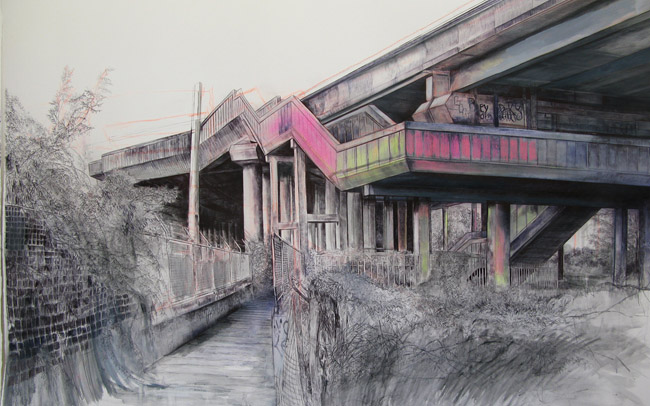
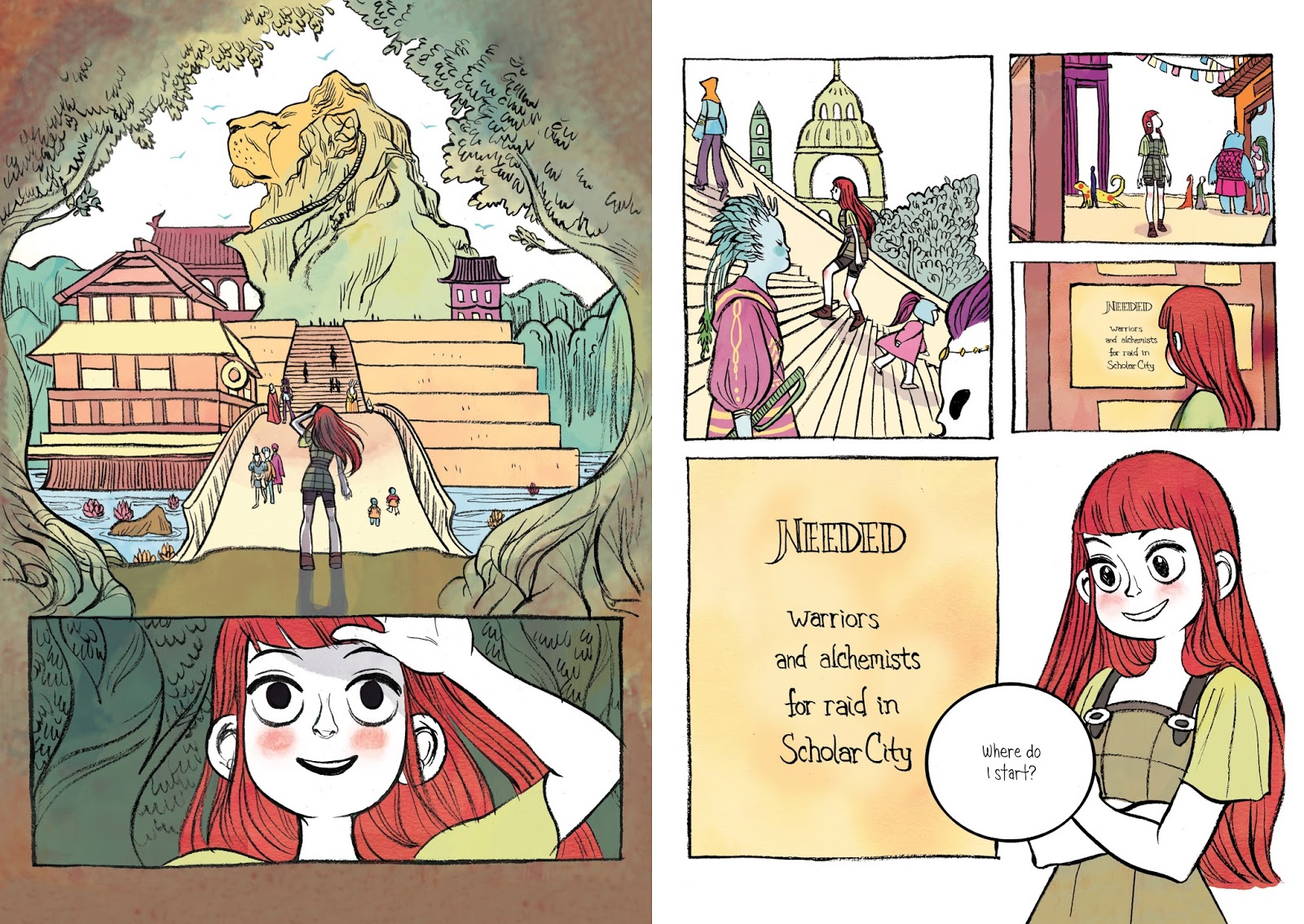
Within this Zine I looked at a couple of different artists but I didn't have time to print out the images which would be included within my zine. Therefore I will add some additional images onto the end of this post to demonstrate their works. 

Laura Oldfield-Ford


Cory Doctorow


Friday, 29 September 2017

Cinema 4d as a Design Tool


In today's session we were introduced to Cinema 4d, it is a 3D modeling, animation, motion graphic and rendering application developed by MAXON Computer GmbH in Germany. Our main purpose for today was to look at the basic things which it can produce and learn how to use these functions effectively. 

Before even opening the software we were shown a number of different videos. One of those was the Channel 4 rebrand which was worked on by DBLG, these motion graphics were produced on Cinema 4d and therefore it was a prime example of what the software can actually do and produce. These motions could have easily been created by hand but by doing them by using this software has made the entire process much quicker and therefore the time management has been thoroughly thought out. 


We then moved on to looking at websites which provide easy to follow and simple tutorials, this would aid us if we wanted to produce something else in our own time. The websites were:
https://greyscalegorilla.com
http://www.eyedesyn.com

We also looked at an instagram account of a motion graphic designer called @Baugasm, they produce an animated poster everyday for 365 days, using Cinema 4d, I was particularly interested in these images as they are not only visually interesting but also very simplistic in terms of how they have been produced.


After looking at all of these resources we then moved onto beginning to create our own design which we would then move into Cinema 4d to animate. We firstly created a simple line drawing of either a letter or some form of design which would be simple and easy to animate. In order to do this we used illustrator. I created a simple 'J' which I then imported onto Cinema 4d. 


Once this was done, we extruded the object in order to add depth to it, so that it was 3D. Once this was done we used the render preview button to see what the final outcome would look like. To see that the object was just floating and didn't really have any depth to it makes it seem very plain and boring.


We then added a floor and a background, to make the piece slightly more interesting, along with the addition of some extra text which made the actual design more visually interesting.


Once this was done, colour was definitely the next step, we created three different materials, which would change the colour of various different elements.


Once this was done, our designs were almost finished, we just needed to add lighting and the camera feature in order to create a still of the piece.


Below is my final still piece, in which it shows shadows in order to create another aspect to the piece and to make it more 'real'. This is important within design as it makes the whole piece look more professional and more realistic.


We then moved onto animating the piece, this was easy and simple to do with the use of keyframes and the rotation option. We also used a Null layer in order to rotate the camera and the lighting around the object to make sure that it was positioned at the right place during the sequence. 


Cinema 4d as a Design Tool from Jessica Mountford on Vimeo.